
Four steps from scattered files to a health history you can use.
Keep your medical records together. Ask what they say. Share what you choose.
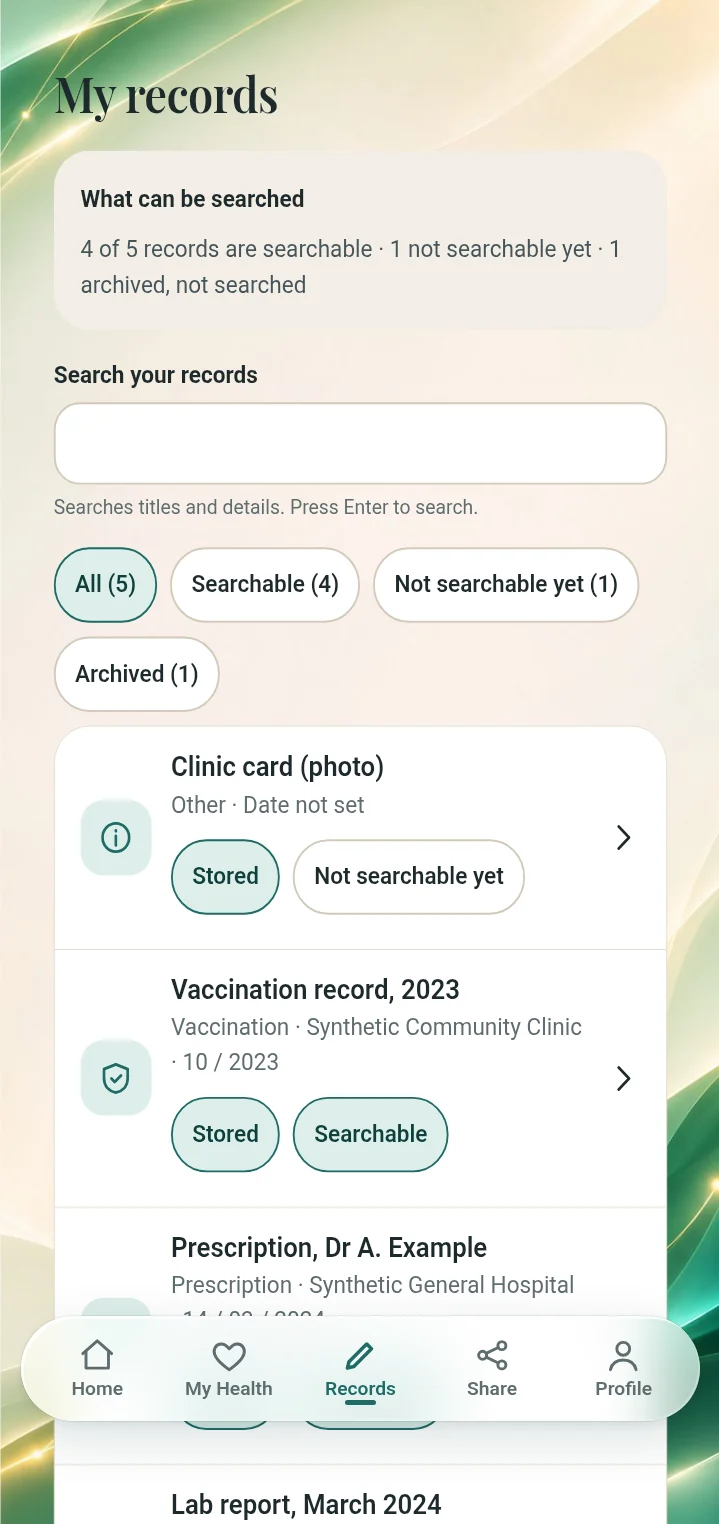
1Add your records
Add PDF reports and photographs of pages, and write your own entries. Each record is kept exactly as you added it. AFIYA shows whether each one is stored, and separately whether it can be searched.
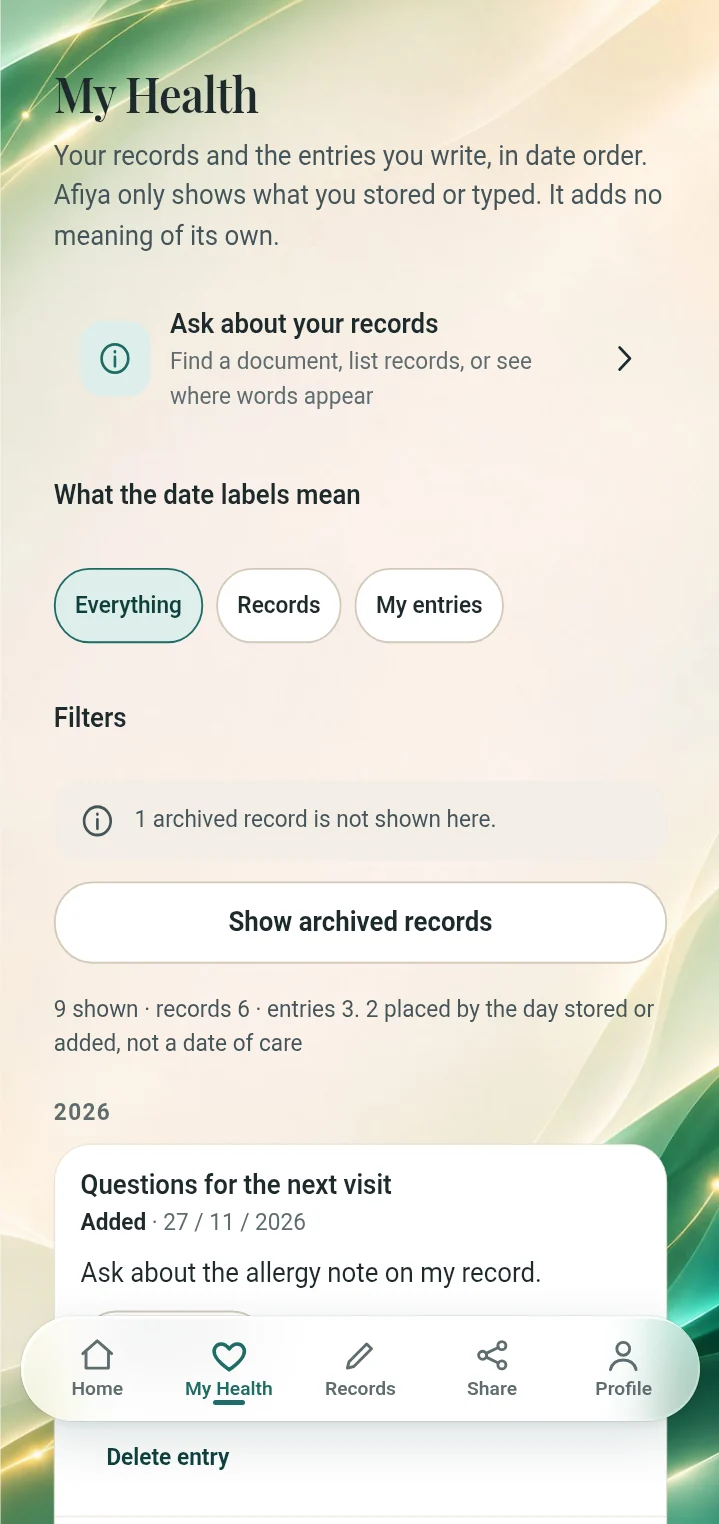
2See your history over time
My Health puts records and your own entries in date order. Each item says which kind of date it carries, such as the date on the document or the day you added it.
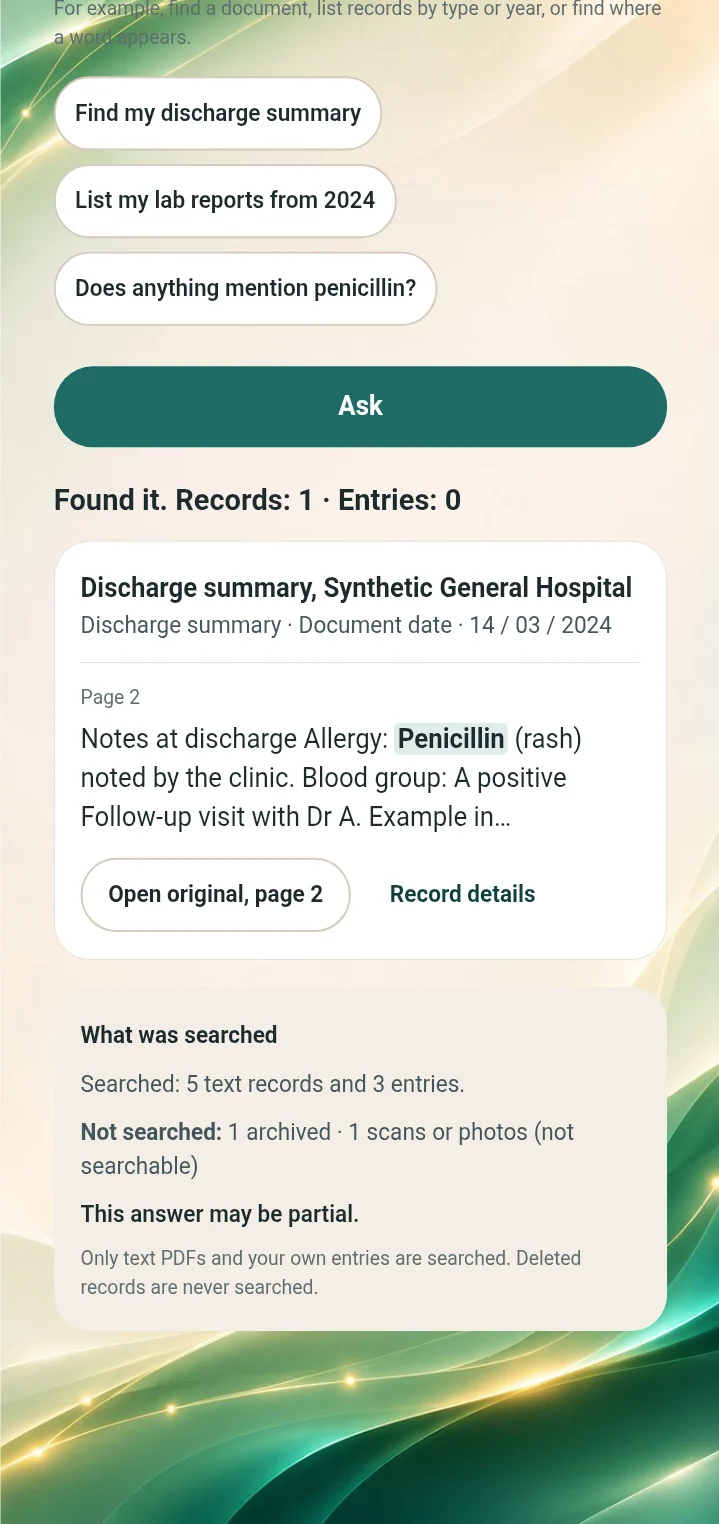
3Ask what your records say
Ask to find a document, list records by type or year, or find where a word appears. Every answer shows the record, the page and the exact words, then what was searched and what was not.
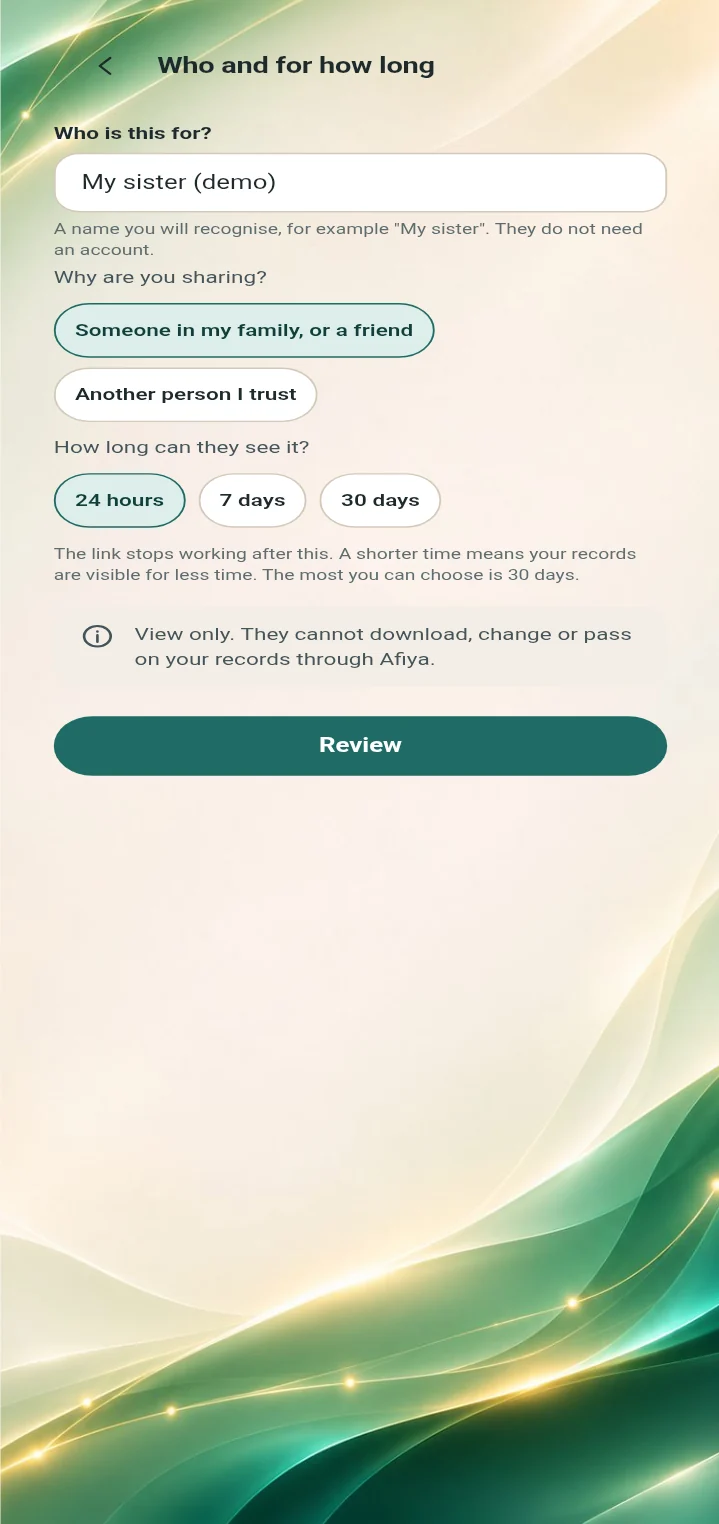
4Share what you choose
Pick the records, say who they are for, and choose 24 hours, 7 days or 30 days. Sharing is view only and stops by itself. You can stop it at any moment.
What AFIYA does not do
- It does not diagnose illness, assess symptoms or suggest treatment.
- It does not tell you whether to change a medicine. Please ask your doctor or pharmacist.
- It does not guess. Answers come from the words in your own records.
- It works only with records you have added.
Every screen, in one place.
Home
Four clear places to start: My Health, My records, Ask my records, and who can see your records.
Tap the screen for a larger view.